# Flutter Installer for Windows — MSI (Beta Release)
# Flutter Installer for Windows — MSI (Beta Release)
## _Cause clicking the “Next” button to install is always awesome._
Flutter Devs on Linux now have the ease of installing the SDK with a click, thanks to Flutter snap package on Snapcraft ([https://snapcraft.io/flutter](https://snapcraft.io/flutter)). Its time we make sure Windows Devs feel home too.
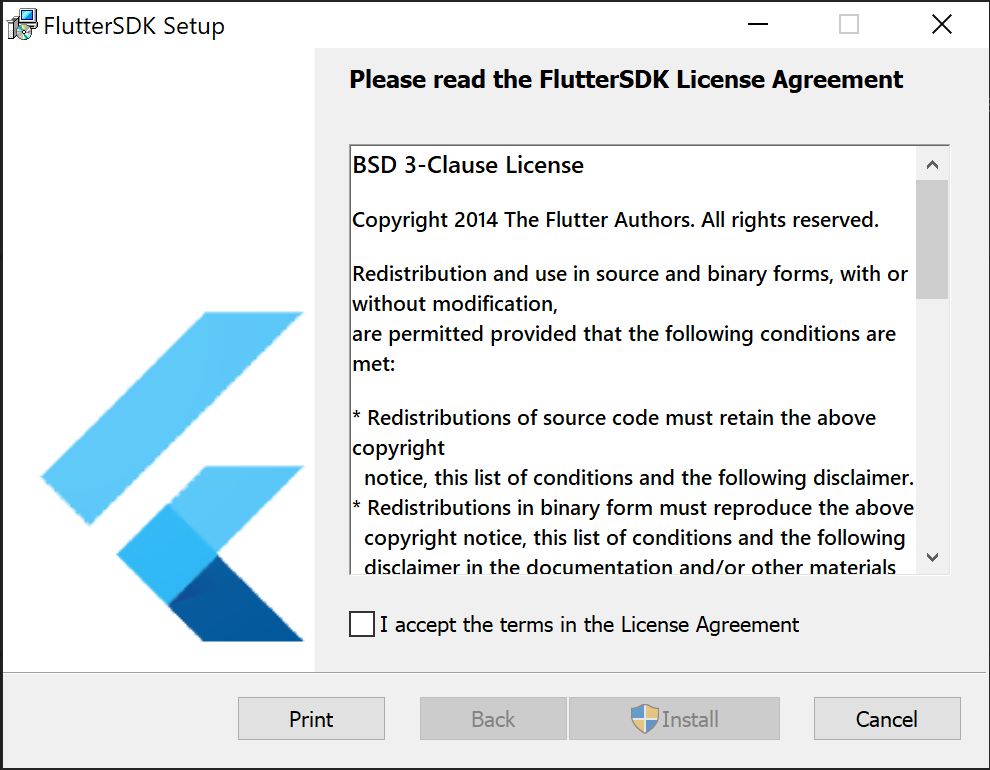
So, I made an MSI installer for the people who love Flutter and live on Windows. The installer is currently being released as Beta and is open for feedback. The project is Open Source and the relevant links can be found below.
The installer is small in size (2 MegaBytes TBH), it downloads the latest SDK archive for you and installs the SDK at **C:\flutter** to make sure users don’t install to a location that’s not platform-agnostic.
If you haven’t already, maybe uninstall your older Flutter installation and use the installer to download and install [Flutter 1.20](/flutter/announcing-flutter-1-20-2aaf68c89c75) for you, all while you sit back and watch the progress bar.
Thanks to [Chris Sells](https://medium.com/u/e0fa815e608b?source=post_page-----94e63f42820b----------------------) for helping me out with the requirements, finding best practices and the unending stream of feedback.
## **Links to installer and source code:**
* [Flutter Windows Installer — Beta Release](https://github.com/sampathbalivada/flutter_windows_installer/releases/tag/v0.1.0-beta)
* [Project Repository](https://github.com/sampathbalivada/flutter_windows_installer)

Flutter Windows Installer

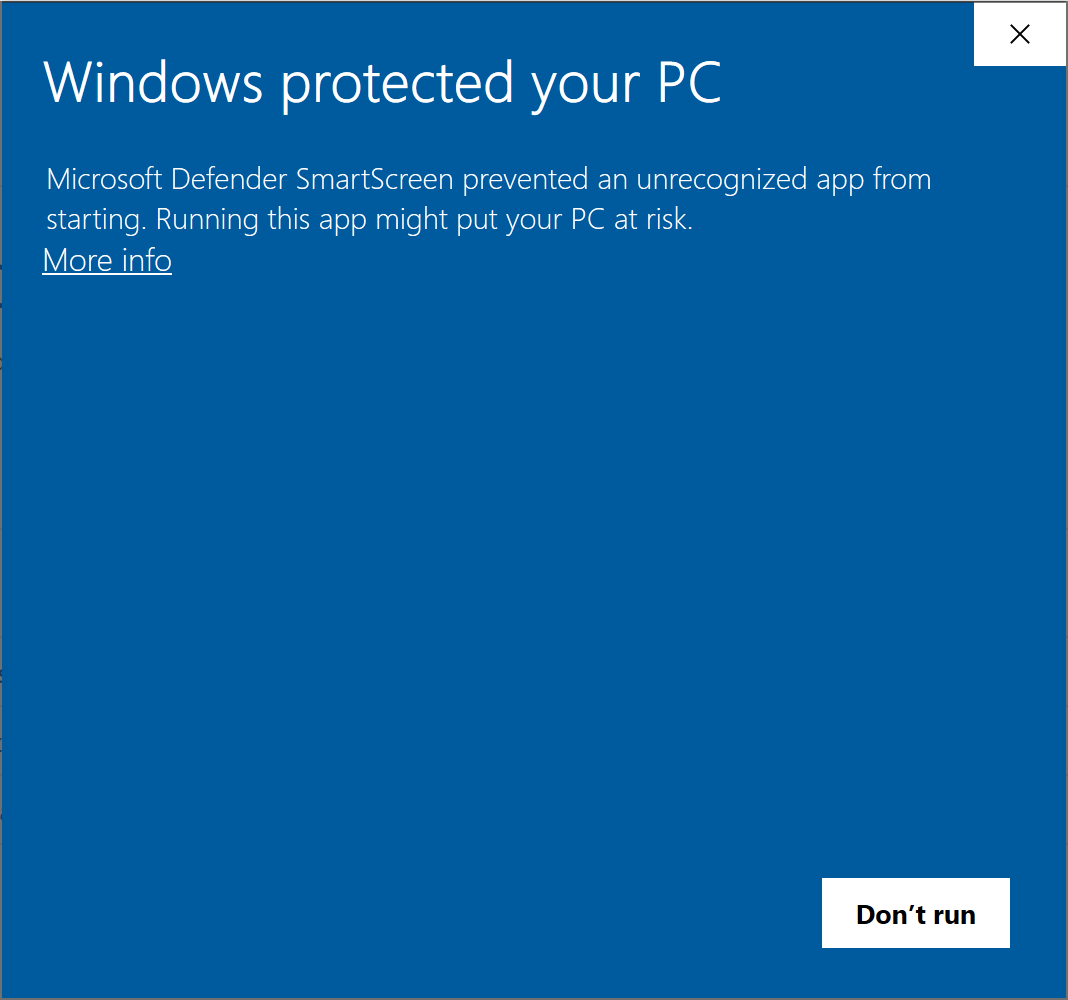
Windows SmartScreen Warning
**About that SmartScreen Warning:**
You might be hit with a **SmartScreen warning** on Windows 8 and up. to get past this, click on **_“More Info”_** and click **_“Run Anyway”_**
_This warning is displayed because the installer is_ [_code-signed_](https://en.wikipedia.org/wiki/Code_signing) _with a new certificate and it will eventually go away as we have more downloads._
* * *
Have a great day and make sure to spread Flutter love. 💙
 Flutter Windows Installer

Flutter Windows Installer

 Windows SmartScreen Warning
**About that SmartScreen Warning:**
You might be hit with a **SmartScreen warning** on Windows 8 and up. to get past this, click on **_“More Info”_** and click **_“Run Anyway”_**
_This warning is displayed because the installer is_ [_code-signed_](https://en.wikipedia.org/wiki/Code_signing) _with a new certificate and it will eventually go away as we have more downloads._
* * *
Have a great day and make sure to spread Flutter love. 💙
Windows SmartScreen Warning
**About that SmartScreen Warning:**
You might be hit with a **SmartScreen warning** on Windows 8 and up. to get past this, click on **_“More Info”_** and click **_“Run Anyway”_**
_This warning is displayed because the installer is_ [_code-signed_](https://en.wikipedia.org/wiki/Code_signing) _with a new certificate and it will eventually go away as we have more downloads._
* * *
Have a great day and make sure to spread Flutter love. 💙